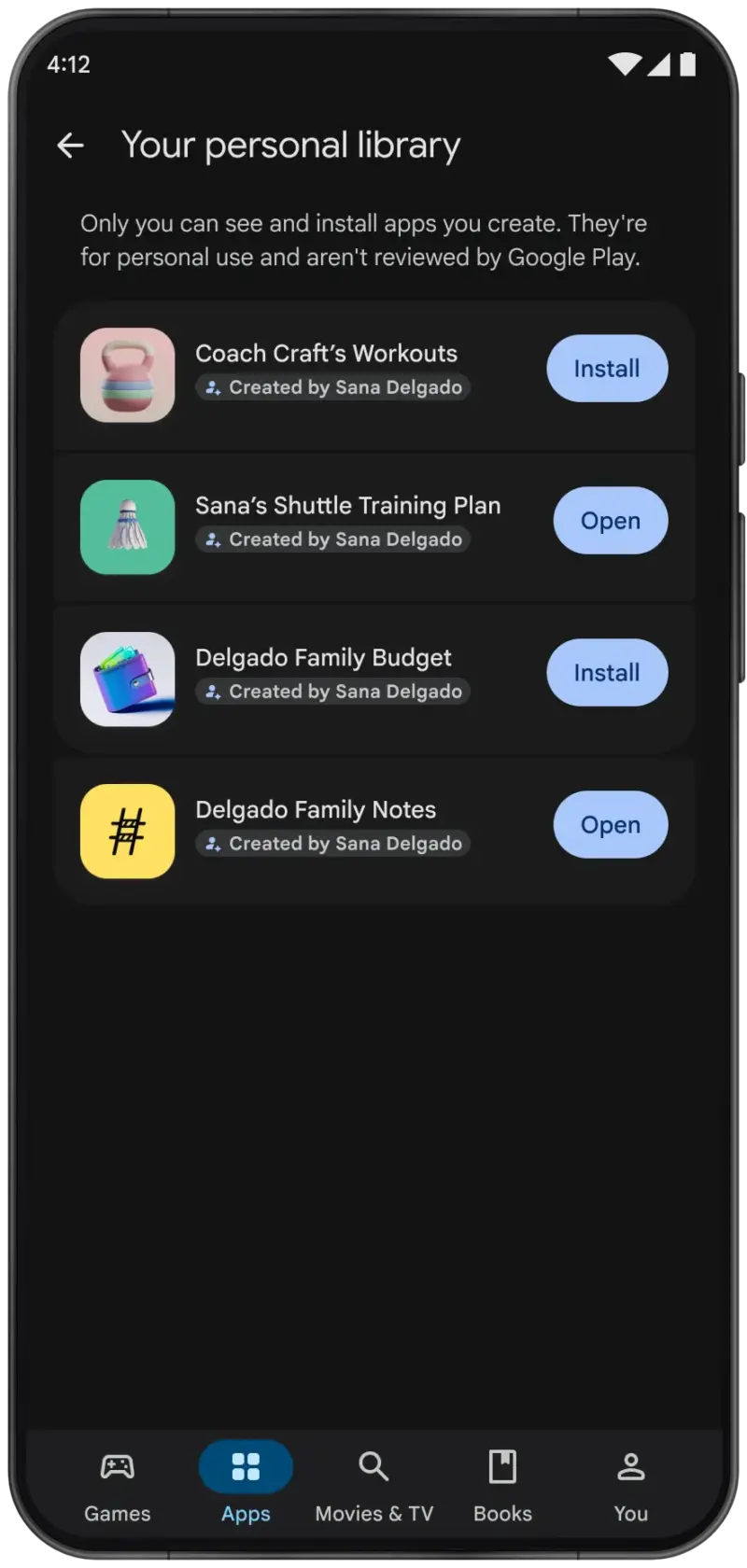
Google Play is opening a private route for Android apps built with AI. Starting October 13, adults in the United States and other selected markets can create a custom Android app in Google AI Studio, then install it on their own phone through Google Play using a standard Google account. A paid developer account and a public store listing are not required.
The new path solves a real problem for people experimenting with AI-generated software: making an app is increasingly easy, but getting a native build onto a phone has still involved APK files, development tools or the Play Console. Google is turning Play into a personal app library as well as a public storefront.
There is an important qualification. These personal apps stay outside the public catalog, and Ars Technica reports that Google does not review them. They can still encounter Android permission prompts and Play Protect checks, but installation through Google Play should not be mistaken for a human code, privacy or quality review.
What Google Play’s personal app route changes
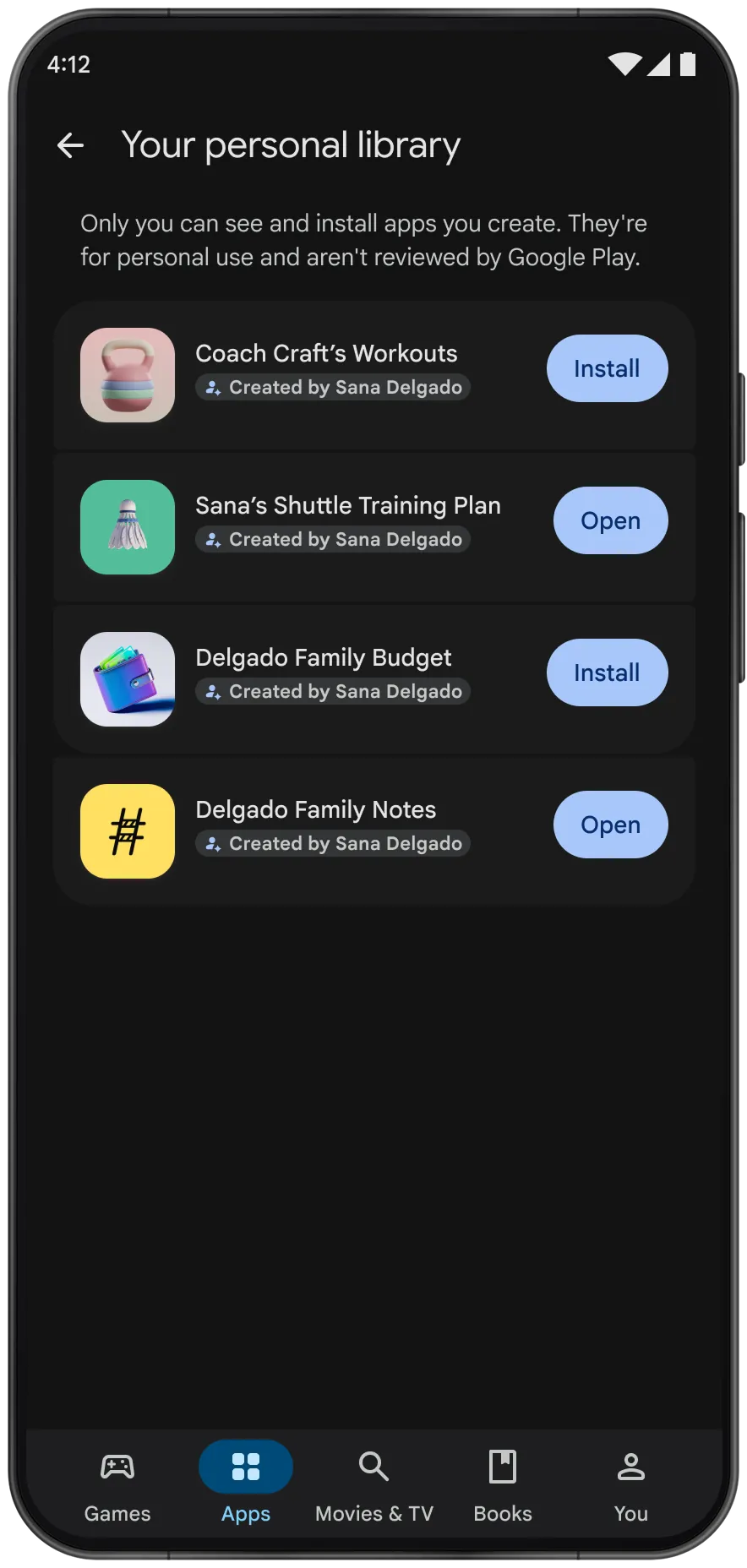
Google’s announcement describes a direct handoff from AI Studio to Google Play. The app appears in a private area available to its creator, separate from Play search and the public store catalog. At launch, the creator is the only user who can access it.
The feature begins rolling out to users aged 18 and older in selected markets, including the U.S. Google has not published a complete country list or promised that every eligible account will see the option immediately. If the launch control is missing in AI Studio, the likely explanation is rollout timing or regional eligibility rather than a need to register as a developer.
Google plans to add sharing with a close circle of friends and family in the coming months. It has not specified the group-size limit or a firm release date. Wider distribution will require moving to a professional developer account, followed by the same trust, safety and quality process applied to conventional Play submissions.
This is distinct from Managed Google Play’s existing private-app system for companies. That enterprise route still requires a developer account or an organization’s management console. The new personal library is aimed at individuals building software for themselves.
The apps are native Android projects, not wrapped web pages
Google AI Studio gained the ability to generate complete native Android projects in May. According to the Android Developers announcement, it produces Kotlin code and uses Jetpack Compose, Google’s recommended toolkit for Android interfaces. Suggested uses include habit trackers, study quizzes, event itineraries and other focused utilities.
That native foundation matters because generated apps can use Android interface patterns and device capabilities more naturally than a web app. It also raises the stakes. A flawed website running in a browser starts with browser-level isolation; a native app may request access to notifications, photos, contacts, location, a microphone or other phone data.
The new Play route changes distribution, not the underlying reliability of generated code. AI Studio can produce a working first build quickly, but a successful build is not evidence that every screen, data path or error case behaves correctly.
Private does not mean locally contained
Google says personal apps remain private and separate from the public catalog. That describes who can discover and install the app. It does not necessarily describe where the app sends information.
A private app can still call an external API, connect to a cloud database, load remote analytics code or transmit material supplied by the user. Those behaviors depend on the generated project and any services the creator asked it to use. An app can therefore be private in Play while moving its data beyond the phone.
The public Play Store normally gives users a Data safety section based on declarations from the developer. Google’s Play Console guidance says private apps are exempt from that form. For a personal AI Studio project, the creator must make the privacy assessment rather than expecting a store disclosure to do it.
Play Protect remains useful. Google says it checks apps from Play before download, scans devices for harmful behavior, warns about potentially harmful software and may block unverified apps that request sensitive permissions associated with financial fraud. Those automated protections reduce risk, but they are not a substitute for understanding why an app wants access to personal data.
A five-minute safety check before installing
For a simple timer, checklist or offline calculator, the review can be straightforward. For anything involving accounts, money, health information, work files or other people’s data, exporting the project for a proper code review is the more responsible path.
- Read every requested permission. A meal planner should not need contacts or a microphone. A local checklist normally should not require precise location. Remove permissions that are unrelated to the app’s core function.
- Look for network dependencies. Check whether the app calls an API, database, analytics service or model endpoint. Identify what leaves the device, where it goes and which account pays for it.
- Keep credentials out of the app. API keys embedded in a mobile binary can be extracted. A private listing does not make a shipped secret safe. Use a controlled backend for credentials that grant access to paid or sensitive services.
- Use throwaway test data first. Test with sample names, files and events before granting access to a real photo library, calendar or work account. Trigger failure cases such as no network connection, an expired login and an interrupted save.
- Recheck after every generated change. A follow-up prompt can modify the manifest, add a dependency or introduce a new data flow. Treat a regenerated build as new software, not merely a cosmetic update.
Google’s own Android guidance favors minimum-scope alternatives for sensitive data. System pickers, for example, can let a user select one photo or contact instead of granting broad library access. Ask AI Studio for those narrower mechanisms explicitly, then verify that the generated code actually uses them.
Going public remains a separate process
The personal library removes the friction from making software for one person; it does not remove the requirements for releasing software to everyone. Google says creators who want a broad audience will graduate to a professional developer account and submit the app to the normal review process.
New personal Play Console accounts also face a production testing requirement. Google’s current Play Console rules require at least 12 testers to remain opted into a closed test for 14 continuous days before the developer can apply for production access. Store assets, a privacy policy, data disclosures and ongoing support can still be necessary depending on the app.
That boundary is sensible. A personal utility used by its creator has a small blast radius and a natural tester. Once friends, customers or strangers depend on it, crash handling, accessibility, security updates, account deletion and truthful privacy disclosures become product obligations rather than optional polish.
Who should use it now
The best early candidates are narrow tools whose behavior is easy to inspect: a household inventory, rehearsal timer, field checklist, scoring tool, study deck or event schedule. These projects can deliver real value without collecting sensitive information or depending on a complicated backend.
Avoid starting with a password manager, health-record organizer, financial tracker, child-monitoring tool or work app connected to confidential systems. Those products demand threat modeling, secure storage, careful authentication and testing that a conversational build session cannot guarantee.
Google Play’s personal app lane makes Android creation meaningfully more accessible. Its most useful interpretation is not that anybody can ship trustworthy software instantly. It is that people now have a lower-friction place to prototype and use small native tools, provided they treat permissions, network access and generated updates with the scrutiny that private, unreviewed software requires.