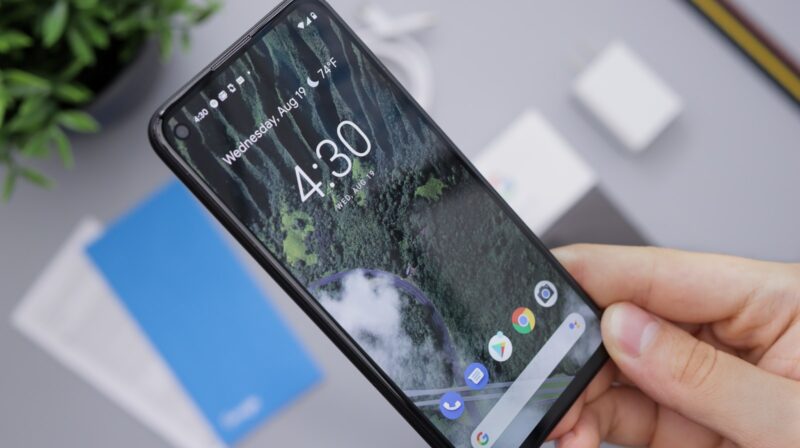
Google began rolling out Android 17 to Pixel devices on June 16, bringing a phone update that is more practical than flashy: floating app windows, creator-friendly screen recording, tighter permissions, stronger anti-theft controls, foldable gaming changes, and under-the-hood limits meant to keep apps from consuming too much memory.
The release arrives first on Pixel phones, foldables, and tablets, with other eligible Android devices expected to receive Android 17 throughout 2026. The timing matters because Google is using the stable release to split Android’s immediate upgrades from a more ambitious AI roadmap. Some Gemini Intelligence features are still slated for later this summer and only for select advanced devices, so Android 17 is not a single-day AI overhaul for every phone.
That makes this update easier to judge. The useful changes are the ones users can actually touch now: multitasking, privacy controls, theft protection, gaming tools, and Pixel-specific feature drops. The AI layer may become the more important story later, but Android 17’s first release is mostly about making the phone behave more like a flexible workspace without giving apps quite as much unchecked access.
Floating Bubbles Are the Most Visible Change
The headline interface change is Bubbles, a multitasking system that lets users turn any app into a compact floating window. On a phone, that means an app can sit over another app instead of forcing a full switch. On larger screens, including tablets and foldables, Google docks bubbles in a dedicated bar so users can switch between app windows, resize them, or expand them back to full screen.
The idea is familiar to anyone who has used chat heads, split-screen tools, or manufacturer-specific floating windows. The difference is that Android 17 makes the behavior a platform feature rather than a custom layer from one phone maker. That should matter most on foldables and tablets, where Android has spent years trying to become more productive without feeling like a desktop operating system awkwardly squeezed onto a touchscreen.
Google is also adding Screen Reactions, which combines screen recording with the selfie camera so users can record their face and the phone screen at the same time. It is a small feature with a clear audience: creators, educators, support teams, and anyone who regularly explains apps or reacts to videos without wanting to stitch together recordings in a separate editor.
Security Changes Are More Important Than They Look
Android 17’s security and privacy changes are less visually obvious, but they are likely to be more useful day to day. Users can grant an app temporary access to precise location instead of leaving that level of access open longer than needed. They can also share only selected contacts with an app, rather than handing over the entire address book when an app asks for contact access.
Those permission changes follow the same direction as Android’s earlier photo picker: reduce the need for broad app permissions when a narrower action is enough. That matters because contact lists and precise location data are high-value signals for advertising, profiling, scams, and social engineering. A weather app, event app, or delivery service may need one location or one contact for a specific task, not a standing invitation to read everything.
Google is also strengthening anti-theft controls. Android 17’s enhanced “Mark as lost” tool in Find Hub can lock a missing phone with biometrics, so a thief who knows or observes the passcode still should not be able to unlock the device, access sensitive information, or disable tracking as easily. Google says Live Threat Detection is also being improved to block more suspicious apps and scams, while Advanced Protection mode gets additional safeguards for people at higher risk.
PIN protection is changing too. Android 17 reduces the number of guesses available to someone trying to brute-force a device and adds longer waits between failed attempts. For most users, that will only be noticed if a child, thief, or attacker is hammering the lock screen. For people who carry work data, financial apps, passkeys, or private messages on a phone, it is a meaningful hardening step.
Foldables and Games Get More Attention
Android 17 also gives foldables a more explicit gaming mode. Google says compatible foldable devices will be able to use a 50/50 layout with the game view on the top half of the display and a dynamic gamepad on the bottom half. The company says the mode is enabled in Android 17 and will become available in the coming months.
External-controller users get native controller remapping, which should make Android gaming less dependent on individual game settings or third-party utilities. Google also says Android 17 reduces frame drops and stutters through more efficient memory cleanup for high-definition gaming.
That gaming work sits alongside a broader platform change: Android 17 introduces app memory limits designed to stop apps from using too much RAM and dragging down performance or battery life. On the developer side, Google’s Android 17 documentation points app makers to behavior changes, testing guidance, and compatibility work, including memory limits, background-audio hardening, and large-screen adjustments.
The AI Rollout Is Still Staggered
The part users should not overread is Gemini. Google is positioning Android 17 as the beginning of a broader transition toward a more proactive intelligence system, but the initial release does not put every announced AI feature on every Android phone.
Google’s own rollout language says select advanced devices will get Gemini Intelligence later this summer. That bucket is expected to include more proactive features such as AI-generated widgets, task automation, and deeper app-aware assistance. For now, the Android 17 update is better understood as the platform foundation and first wave of user-facing changes, not the full arrival of Google’s mobile-agent vision.
Pixel owners do get additional updates through the June Pixel Drop. Coverage from The Verge notes that Google is expanding Pixel-only features such as Gemini Omni in the Gemini app for text-to-video creation, Lyria 3 for music generation, Quick Share expansion to more A-series Pixels, Voice Translate on the Pixel 10a, broader Take a Message support, and conversational Google Photos editing in several European countries.
Those Pixel extras are useful, but they also reinforce a familiar Android pattern: the operating system release, the Google app update, the Pixel Drop, and manufacturer rollouts are related but not identical. A Pixel owner may see Android 17 first. A Samsung, Motorola, OnePlus, Nothing, Xiaomi, or Oppo owner may wait for a manufacturer update. Some Gemini features may depend on hardware tier, region, language, or app availability even after Android 17 itself arrives.
Should Pixel Owners Install It Now?
For most Pixel users, Android 17 looks like a reasonable update to install once it appears in system settings, especially because the security and permission changes are useful even if Bubbles or Screen Reactions are not part of someone’s daily workflow. The usual upgrade advice still applies: back up important data, charge the device, leave time for download and installation, and avoid updating right before travel or an important workday if the phone is mission-critical.
Users who depend on banking apps, workplace management tools, accessibility software, specialized Bluetooth devices, hearing aids, or niche controller setups may want to wait a few days and watch for compatibility reports. Android 17 had several beta releases before stable rollout, but major OS upgrades still expose app-specific issues once millions of devices move at once.
Developers have more immediate homework. Google’s Android 17 developer guidance tells app makers to test behavior changes, update SDKs and libraries, run through app flows, and target Android 17 where possible. Apps that handle background audio, large-screen layouts, contacts, location, game controllers, memory-heavy workloads, or work profiles should get particular attention.
Android 17 is not the dramatic AI phone reset that some users may have expected from Google’s earlier Android and Gemini messaging. It is a steadier platform release with a clearer near-term value: better multitasking, narrower permissions, tougher theft protection, more foldable ambition, and a runway for AI features that are still arriving in pieces.