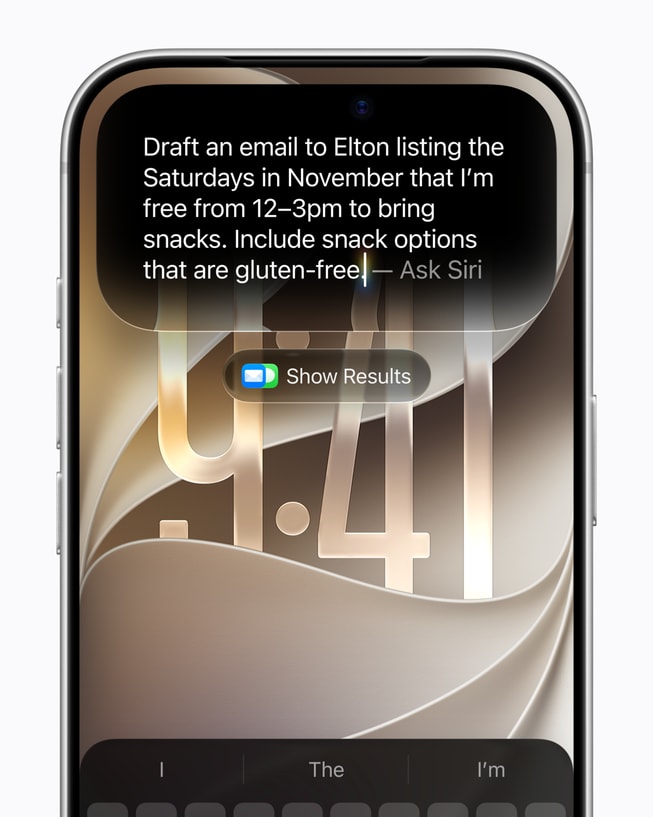
Apple released iOS 27 on September 14, but installing the update does not automatically give every compatible iPhone the new Siri AI experience. The assistant is rolling out as an English-language beta, requires Apple Intelligence hardware, and is initially unavailable on iPhone in the European Union and China.
That makes the upgrade more complicated than the usual Settings notification suggests. An iPhone may run iOS 27 while remaining on the older Siri experience, and even supported phones do not all receive the same on-device model features.
Here is the useful version of the rollout: which iPhones qualify, how to turn Siri AI on, what it can do now, and which limits are easy to miss.
Which iPhones support Siri AI?
Apple’s Siri AI setup guide lists the iPhone 15 Pro, iPhone 15 Pro Max, every iPhone 16 model, and later Apple Intelligence-enabled iPhones as eligible. The phone must be running iOS 27 or later, and both the device language and Siri language need to be set to a supported language.
That is narrower than iOS 27 compatibility. Older phones can install the operating-system update and receive its non-AI changes, but they cannot run Siri AI. The cleanest eligibility check is therefore the model name under Settings > General > About, not the presence of the iOS 27 update itself.
Siri AI is available only in English at launch. Apple plans to add French, Japanese, Korean, Portuguese, and Spanish in October. The company also says the beta is not available to users under 13.
How to turn on Siri AI in iOS 27
- Back up the iPhone, then install iOS 27 from Settings > General > Software Update.
- Confirm that the iPhone and Siri languages are set to English.
- Open Settings and tap Siri.
- If Siri is off, tap Turn on Siri. Then tap Try Siri AI (Beta).
- Follow the onscreen instructions and leave the phone connected to Wi-Fi and power while its local indexes and models finish preparing.
Apple describes Siri AI as a continuing rollout, so a supported phone may not receive access at the same moment as another device. If the beta option does not appear, first verify the model, iOS version, language, age, and region rather than repeatedly reinstalling the update.
What Siri AI can do now
The new assistant is meant to combine four capabilities that previously felt separate: conversational answers, personal search, awareness of the current screen, and actions inside apps.
Personal context: Siri can search supported sources including Photos, Mail, Messages, and Calendar. A useful first test is a request whose answer is buried in more than one place, such as, “What time is the flight Alex emailed me about, and when should I leave?” The result is more revealing than a general-knowledge question because it tests whether the assistant can locate the right person, message, date, and event.
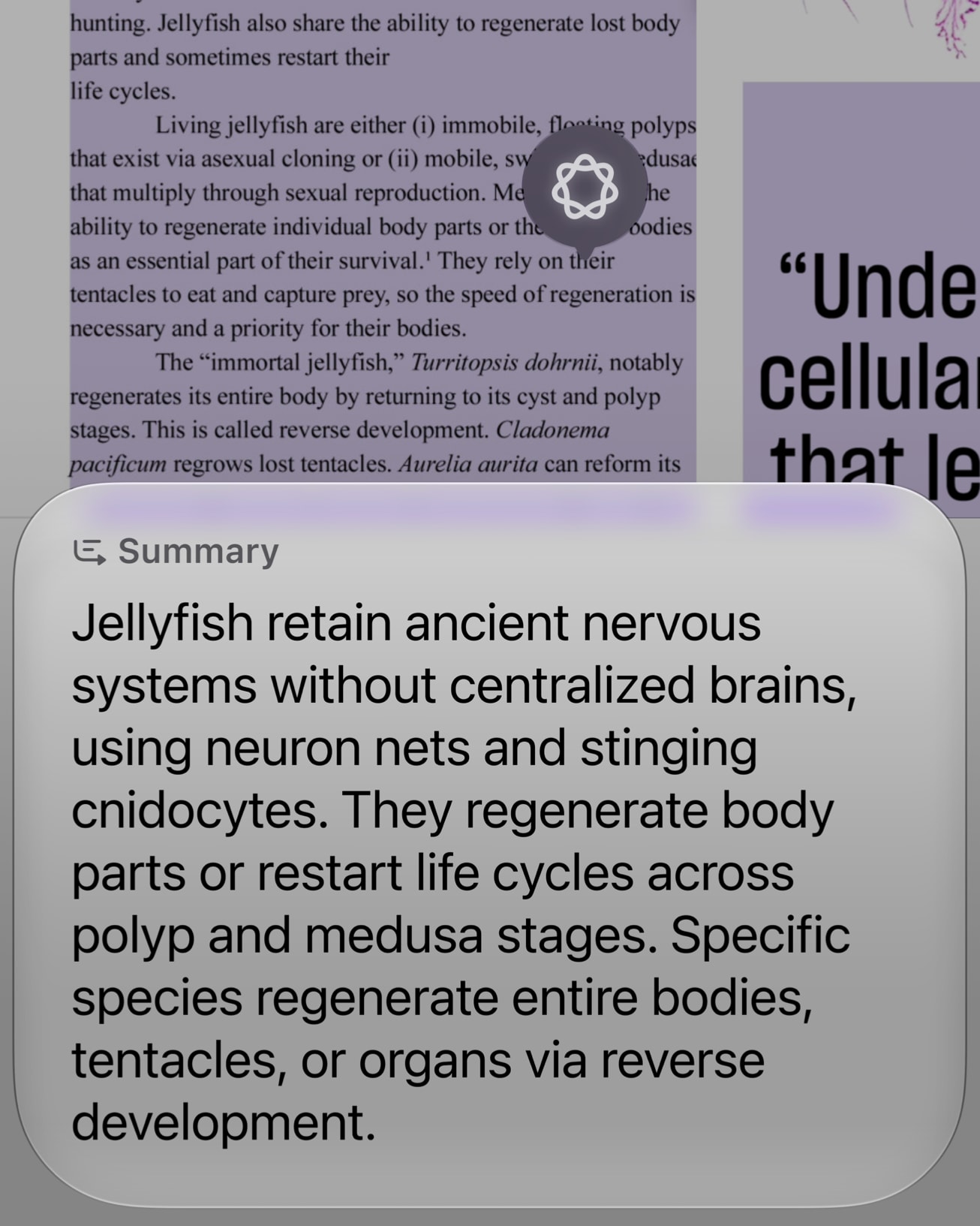
Onscreen awareness: While viewing a photo, webpage, or PDF, users can ask what an object is, request a summary, or turn information on the screen into an action. Apple’s examples include reading an event poster and adding the listed dates to Calendar.
Camera mode: A Siri mode inside the Camera app can answer questions about what the phone sees and propose actions. Apple demonstrates it with tasks such as reading a bill and preparing an Apple Cash split, though users should check amounts and recipients before approving any payment.
Writing and follow-up conversations: Siri can draft, proofread, summarize, and revise text. A dedicated Siri app keeps conversation history and syncs it through iCloud, letting a user start a conversation on iPhone and continue it on another supported Apple device.
App support is not uniform. Apple says existing actions such as sending a WhatsApp message or playing an Audible book work now, while deeper actions in Outlook, Notability, and Tripsy are described as coming soon. If Siri can discuss an app but cannot complete a requested action, the missing piece may be the app’s integration rather than the model itself.
Not every supported iPhone gets every feature
All eligible phones can use the central Siri AI experience, but Apple reserves its most powerful on-device model, AFM Core Advanced, for a smaller hardware group. On iPhone, that group includes iPhone 17 Pro and Pro Max, iPhone Air, iPhone 18 Pro and Pro Max, and iPhone Duo.
That model enables features such as more expressive voices and more advanced dictation. Apple’s support documentation lists Siri Expressive Voices on the iPhone 17 Pro line, iPhone Air, and iPhone 18 Pro line. An iPhone 15 Pro or standard iPhone 16 can therefore qualify for Siri AI without receiving every voice or dictation enhancement.
Where Siri AI is unavailable
Apple says Siri AI is not initially available on iOS, iPadOS, or watchOS in the European Union. The restriction applies to features that depend on Siri AI as well. The company’s support pages separately indicate that EU users can access the beta on supported Macs and Vision Pro devices when their account region and languages meet the requirements.
In China, Siri AI and the other new Apple Intelligence features remain unavailable while Apple works through regulatory requirements. Apple has not provided a launch date for either regional restriction.
Privacy, cloud processing, and usage limits
Siri AI does not run entirely on the phone. Apple says its architecture uses a mix of on-device models and Private Cloud Compute. The system orchestrator can use local components such as the Spotlight index and App Toolbox, while more demanding requests may be sent to Apple’s privacy-focused servers. According to Apple’s launch announcement, data handled by Private Cloud Compute is not stored or made accessible to Apple.
That architecture matters because Siri is now searching more intimate sources than a conventional web chatbot. Before relying on personal-context answers, review which apps and data sources Siri can use, and treat generated summaries as shortcuts to the original information rather than replacements for it.
Server-side features are also subject to daily usage limits. Apple names Siri AI, intelligent photo editing, Image Playground, and cloud models used by Shortcuts among the affected services. The exact allowance can vary with request complexity, demand, and system policy. Apple says expanded access will be sold for a fee in the future, but has not announced pricing.
Five useful tests after setup
- Personal retrieval: Ask for a specific recommendation or appointment mentioned in Mail or Messages.
- Cross-app action: Find an emailed reservation and ask Siri to create a calendar event from it.
- Onscreen understanding: Open a PDF or webpage and ask for three key points, then verify them against the source.
- Camera mode: Point the camera at a poster or menu and ask a concrete question about the visible information.
- Writing: Draft a short message, then ask for a revision with a different tone instead of starting over.
These tests expose the parts of Siri AI that matter most: whether it can find the correct private context, preserve details while moving between apps, and complete an action without inventing information. Because the assistant is still labeled beta, confirm dates, names, financial details, and destructive actions before accepting them.
iOS 27 is a broad operating-system release. Siri AI is a narrower service layered on top, with separate requirements, regional gates, hardware tiers, and cloud limits. Checking those conditions first will save more time than troubleshooting a feature the phone or region does not yet support.